Money Manager: AI Budget
Small steps. Steady money.
A friendly place to track spending, plan around payday and learn as you go — with an AI copilot that explains your numbers in plain words.
Free to download on iPhone and Android.
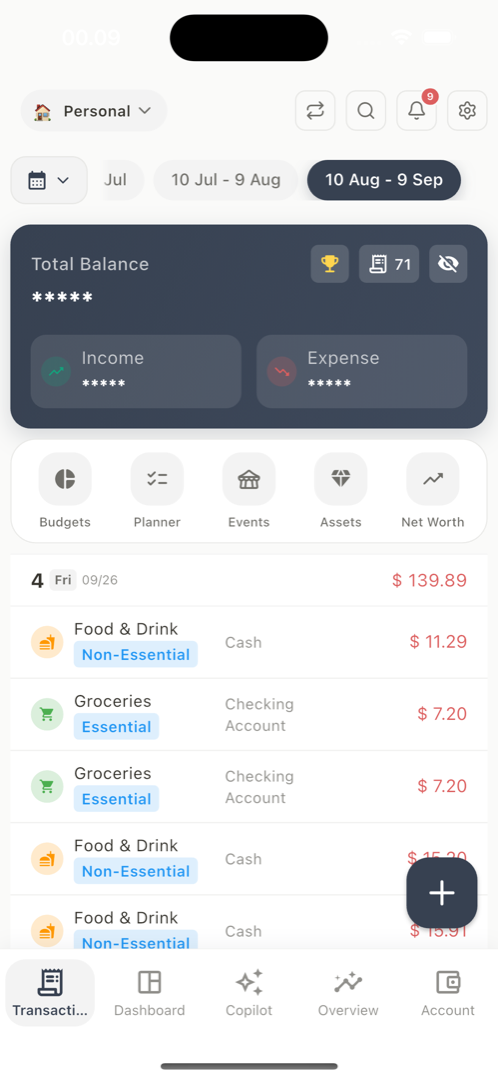
- 150+
- currencies, wherever life takes you
- 11
- languages, so it speaks yours
- PDF + Excel
- to review, share or keep
- End-to-end
- encryption for private sync
AI Copilot
Ask anything.
Get answers you understand.
- Where did most of my money go this month?
- Can I afford a new phone?
- Which debt should I pay first?
- Help me start a 300 grocery budget for 3 months
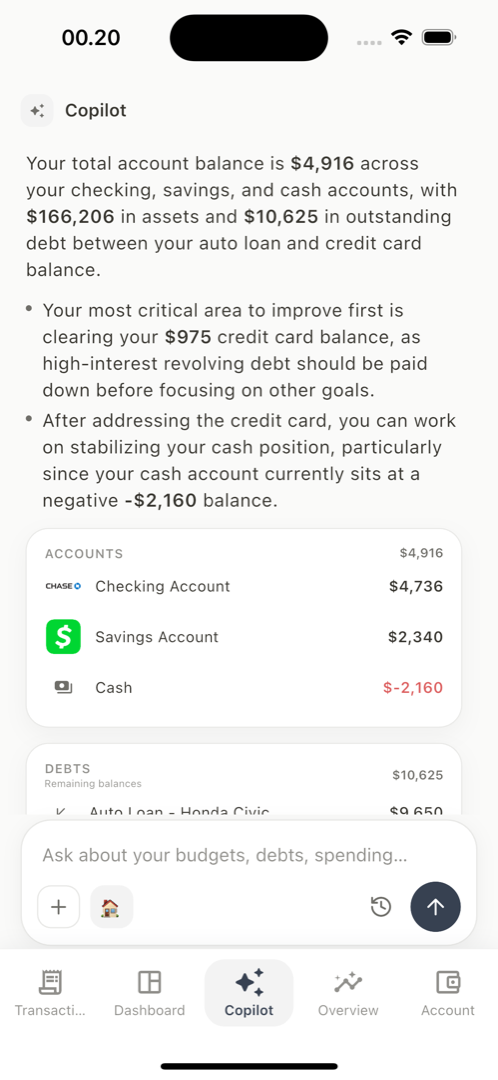
Ready to create
Groceries budget
- Limit
- 300 / month
- Runs for
- 3 months
- Cycle
- Your payday
An example. Nothing is saved until you confirm.
Explains, never lectures
It looks at your own balances, budgets and bills, and answers in plain words — no jargon, no judgement.
Helps with the next step
Ask it to set up a budget, log a purchase or plan a bill, and it gets the change ready for you.
You stay in charge
Every change is shown first, exactly as it will be saved. Nothing happens until you tap confirm.
Everything in one place
One calm home for your money.
Accounts, budgets, bills, goals and reports that work together — so progress is easy to see, and easy to keep going.
Budgets that grow with you.
Start with one small budget and build from there. A gentle marker shows where today sits in your pay cycle, so adjusting early feels easy.
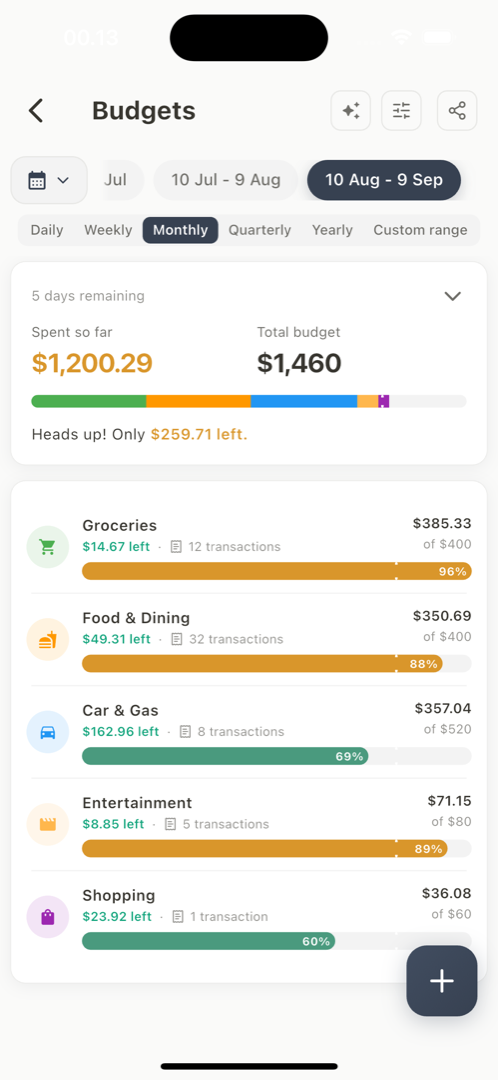
Every account, one balance.
Bank, e-wallet, cash and cards together, so you always know where you stand.
- Checking
- $4,736
- Savings
- $2,340
- Credit card
- −$975
- Total
- $6,101
Bills, calmly planned.
See what is coming this week and mark it paid in a tap. Tight month? Skip one and carry the amount to next time.
- RentDue Mon$1,200
- ElectricityDue Thu$86
- Phone planDue Sat$35
Learn from every month.
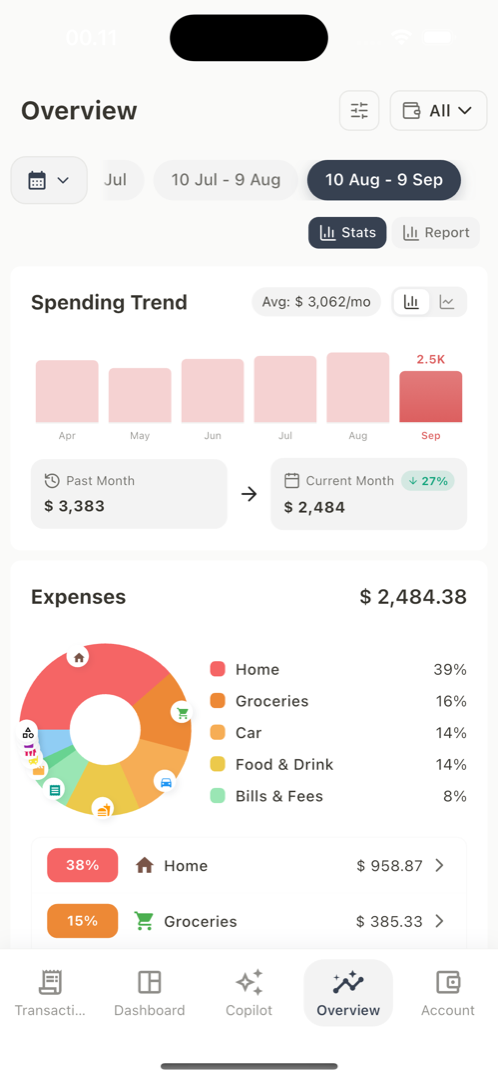
Friendly charts show where your money goes, so each month teaches you a little more.
150+ currencies.
Keep each account in its own currency — totals convert for you.
Keep your progress.
Save any period as a PDF or Excel file to review, share or look back on.
Goals worth growing.
Save for what matters, plan trips with a budget, and pay down debts one step at a time.
Getting started
Three small steps to begin.
No pressure and no perfect start needed. Each step takes a moment, and the app helps with the rest.
Step 01 of 03
See all your money in one place.
Add your bank, e-wallet, cash or cards with just an opening balance. No bank login, nothing to hand over.
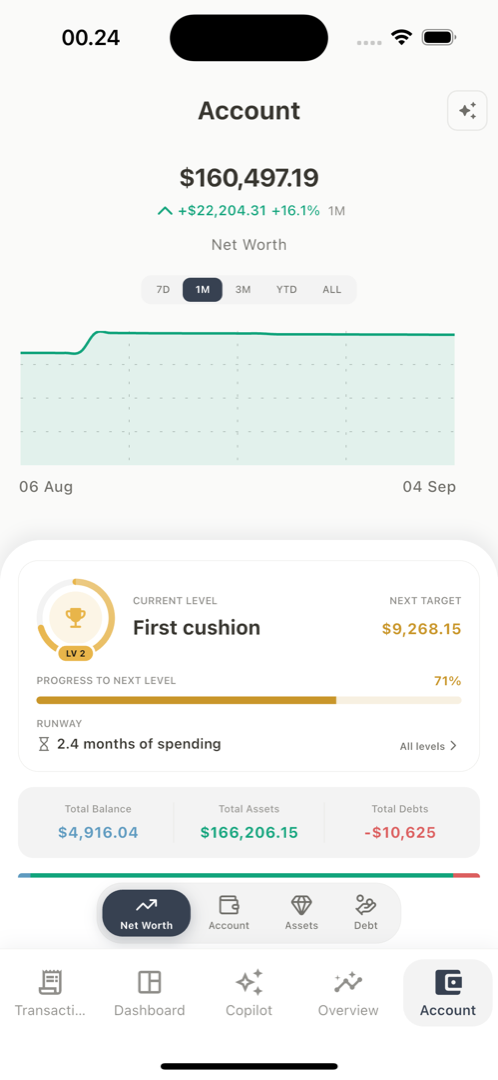
Wealth level
Grow your safety net, month by month.
Your level shows how many months your savings could cover, based on your own spending. No scores, no comparisons — just your next step forward.
- First cushion1 month
- Breathing room3 months
- Steady ground6 months
Ten levels to grow through, each with a clear, reachable next goal.
Privacy
Your records stay yours.
Money is personal. The app is built so your records stay private — even from us.
Encrypted before upload
When you turn on sync, your records are encrypted on your device first. We only ever store data we cannot read.
Only you hold the key
Your passphrase never leaves your phone. Keep it somewhere safe — because we never see it, we cannot reset it for you.
No bank login needed
You add balances yourself, so there are no banking passwords to share with anyone.
Never sold, never shared
Your financial records are never sold, never used for ads, and never used to train AI models.
Sign-in
How Money Manager: AI Budget uses your Google account
Sign-in only
We request your basic Google profile and email address, and use them for one purpose: to identify your account so your own devices can sync with each other and so your AI copilot allowance can be counted. We never receive your Google password.
What we never do
We do not read your Gmail, Drive, Contacts or Calendar, and request no access to them. We do not sell your information, build advertising profiles from your financial records, or use your financial data to train AI models.
Signing in is optional
Every core feature — transactions, budgets, accounts, reports and export — works with no account at all. Sign-in adds encrypted cloud sync and the AI copilot, nothing else.
You can remove it
Sign out at any time, or delete your account and everything stored with it from inside the app or by email. See deleting your account.
Questions? We’re here to help.
I’m new to budgeting. Where do I start?
Start small: add your accounts and note what you spend for a week or two. Patterns appear on their own, and when you feel ready the copilot can suggest a simple first budget. There is no wrong way to begin.
Do I need an account to use it?
No. Transactions, budgets, accounts, reports and export all work with no sign-in. An account is only needed for encrypted cloud sync and the AI copilot.
Does it connect to my bank?
No, and it never asks to. You enter an opening balance and record what you spend, so there are no banking credentials to hand over and nothing to breach.
What does the AI copilot actually do?
It reads a summary of your own figures and answers questions about them, and it can set up budgets, log transactions or schedule bills on your behalf. It shows exactly what it will change first, and nothing is saved until you confirm.
What can you see of my data?
Nothing readable. When you turn on sync, your records are encrypted on your device with a passphrase that stays on your phone, so we only ever store data we cannot open. Because we never see that passphrase, please keep it somewhere safe — we would not be able to reset it for you.
What does Pro cost, and what does it add?
The core app is free and genuinely usable. Pro lifts the caps and removes the ads, and adds cloud sync, shared spaces, custom categories and unlimited copilot conversations. Prices are shown in your own currency in the app.
Can I get my data out?
Any period exports to PDF or to an Excel workbook, and a full backup file can be restored on another device. Deleting your account removes everything stored with it.
Take the first small step.
Add an account, set your payday, and watch your money picture grow clearer — at your own pace.
Already a Pro subscriber? Open the web app — it reads the same encrypted data as your phone.